
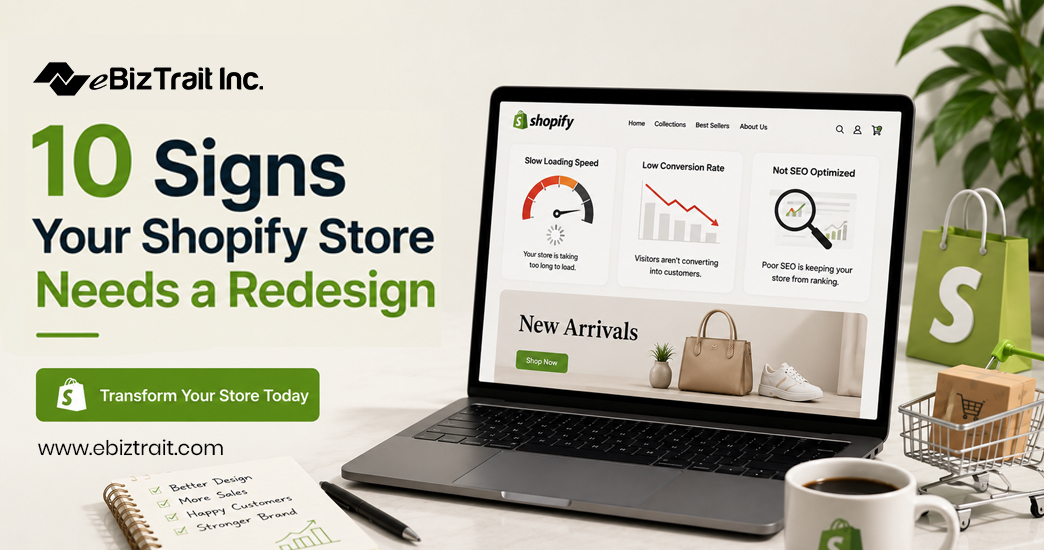
Your Shopify store is so much more than just a place to add your products to sell online. Your Shopify store is your online store front. It’s where people first encounter your brand online. It’s your sales floor. And for many online shoppers, their experience online will be in your Shopify store, so it’s really important that it converts well into sales for you. But your online store front will go out of style just like any other store. It’s normal for online store fronts to go out of style from time to time as design trends and online shopper expectations evolve over time. And just because your online store front was up to date 2-3 years ago, does not mean that it is still up to date today. All you need is with Shopify redesign.
The decline of a Shopify website design is a gradual process. It doesn’t happen overnight. In the beginning, everything may seem to be working fine but as time goes by, your store’s design starts to deteriorate. Instead of helping you to achieve your goals, your website becomes a barrier to sales.
Below are 10 indicators for when it is time to give your Shopify store a makeover. We have described what these indicators typically mean and what you can do to fix them.
Why Need Shopify Redesign?
1. Your Conversion Rate Has Been Declining
If you have consistent traffic but lack of sales then there is an issue with your Shopify website design. Most failing stores lack trust, proper eye flow and most importantly clear purchase path regardless of how great your products or ads are.
What to do: Look at your analytics for your online store’s funnel and see where people are dropping off. If people are leaving on product pages or when trying to check out, a redesign of those pages could help you recover lost sales.
2. Your Store Looks Dated Compared to Competitors
Most design trends go through a hyper growth phase, a “death by overuse” phase, and then stagnation. A few years ago it was common to see websites with heavy drop shadows, large text and other design elements overlaid on top of each other in a cluttered banner. Small product images are another design element that are often considered acceptable for a short period of time, but then become dated very quickly.
What to do: Compare your online store with that of 2-3 of your closest online retail competitors. If their websites appear to be ‘more up to date’ than your own and, although you can’t quite work out why, they appear to have higher quality websites than your own then this too could be costing you sales in silence.
3. Your Store Isn’t Mobile-Friendly
As more and more consumers do their online shopping on their mobile devices, it’s become critical for online stores to ensure that their website is optimized for mobile. With more than half of all online ecommerce traffic coming from mobile devices, it’s clear that if your online store isn’t then the majority of your visitors will likely become frustrated very quickly. In this article we take a look at some common symptoms of a Shopify ecommerce store website that hasn’t been optimized for mobile.
Test out your store on various sized phones and if you find that your store’s navigation or checkout process are difficult to use then you should make this a top priority when redesigning your Shopify website.
4. Your Site Is Slow to Load
Design and performance go hand in hand. Heavy, image based designs, over the top animations and bloated theme code can hinder a site’s page speed causing shopper distrust before they’ve even viewed your products. This is one of the most common reasons we undertake a Shopify store optimization project.
Run a speed test on your store and see where you stand against industry averages. If your current theme or site design is holding you back then it is probably best to do a full redesign as opposed to trying to fix around the current issues with a large number of hacks.
5. Navigation Feels Confusing or Cluttered
If customers are frequently unable to find your products, or the relevant categories and key information on your site such as your shipping and returns policy then the information architecture of your site needs work. A confusing site navigation is likely to lose customers quickly as they are unable to find what they are looking for on your site to complete a purchase after having entered the site intent to do so.
Watch users attempt to complete a task such as finding a product, category or key information such as shipping and returns on your store, or view heatmaps to see where users get stuck. Simplifying your menu and creating a better search function is typically a core component of any Shopify store redesign service.
6. Your Branding Feels Inconsistent
Fonts, colors and images are often allowed to roam free as a store grows. As time passes, different members of staff and even the odd freelancer could have added pages here and there. As the store evolves, the imagery style is likely to change and before long, your store will look inconsistent and unfinished – in direct opposition to the polished online store that customers expect to find.
Audit your site against your brand guidelines page by page. If you find inconsistencies throughout then a full Shopify website design refresh would be more beneficial than amending individual pages here and there.
Poor design on your product pages can be selling your product short. If visitors are landing on your product pages but aren’t converting into sales then there must be something wrong with the design of those pages. In many cases this could be down to low quality images, a poor layout hierarchy and poorly worded calls to action.
7. Your Product Pages Aren’t Converting
Compare your product page to high converting pages in your niche and see where you can improve your shopify store optimization. Often making small changes to your best selling products can increase your revenue greatly.
8. You’ve Outgrown Your Current Theme’s Capabilities
Your store’s launch theme may no longer support the functionality that your store currently needs to function i.e. advanced filtering, subscription options, increased product count, additional multi collection pages etc. Paining additional functionality on top of a theme that is not up to date can have many drawbacks and create an unstable and less than ideal user experience.
What to do: Write down the features your store currently needs that are not supported on your current theme. If this list is long, it would be best to engage a team that can do a full Shopify redesign rather than trying to hack around your current theme to make it work.
9. Your Store Doesn’t Reflect Your Current Brand Positioning
Brands evolve. They either evolve with the brand (as the brand’s shifted to new target market, product lines or now a premium/ different niche offer) or the store they first opened up for is still stuck in old Shopify website design that no longer reflects the marketing that’s going on.
So what to do? Ask yourself if someone visiting your shop for the first time could clearly figure out your brand positioning from your home page. If not, the design of your online shop is likely not up to date with the brand you are promoting through online advertising.
10. You’re Relying on Too Many Band-Aid Fixes
A store that has grown over time by adding different apps, custom code snippets on top of workarounds to make things work in the first place most likely needs to be reorganized from the ground up instead of being patched again.
Take stock of the number of applications and custom scripts that you have in your store today to attempt to fill in design and functionality gaps. A clean redesign of your store could likely remove a dozen or so applications and custom scripts that are required to get things to work today and put you on a solid foundation to attempt to keep your store up to date going forward.
Getting Started With a Shopify Redesign
If several of the above indicators ring true for your Shopify store, then it’s time to start thinking of your store redesign as an investment rather than an expense. A beautiful modern Shopify website design is not just a pretty face, it can also increase conversion rates, establish trust with your customers and provide your brand with the room it needs to grow with new traffic.
Whether you decide to redesign your Shopify store in-house, or hire a specialized team to help design a new Shopify store as part of your Shopify store redesign services, your main objective should remain the same: design a store that is fast, easy to use, beautiful and also convert as much of the traffic that you are bringing to the store as possible.
FAQs
1. How do I know if my Shopify store needs a redesign?
Common signs include declining conversion rates, a dated visual look, poor mobile experience, slow load times, and reliance on too many patchwork apps or fixes.
2. How often should I redesign my Shopify store?
Most brands benefit from a meaningful design refresh every 2-3 years, though smaller Shopify store optimization updates can happen more frequently as needed.
3. Is a Shopify redesign the same as changing themes?
Not necessarily. A theme change is one part of a redesign, but a full Shopify website redesign also considers branding, content structure, page layout, and user experience.
4. Will a redesign hurt my SEO rankings?
If done correctly, a redesign shouldn’t hurt SEO. Proper planning around URL structures, redirects, and page speed can actually improve your search performance.
5. How long does a typical Shopify store redesign take?
Timelines vary based on scope, but most redesigns take anywhere from a few weeks to a couple of months depending on complexity and the number of pages involved.
6. Can I redesign my Shopify store without losing existing customer trust?
Yes. Keeping core brand elements consistent, like your logo and color palette, while modernizing layout and usability helps customers adjust without feeling disoriented.
7. What’s the difference between Shopify store optimization and a full redesign? Optimization usually refers to smaller, ongoing improvements like page speed or conversion tweaks, while a redesign is a more comprehensive overhaul of the site’s structure and design.
8. Do I need a developer for a Shopify redesign?
For basic theme customization, you may not, but for custom functionality, complex layouts, or a fully bespoke look, working with a team offering Shopify redesign services is usually worth it.
9. How much does a Shopify store redesign typically cost?
Costs vary widely based on scope, from a few hundred dollars for theme customization to several thousand for a fully custom rebuild with advanced functionality.
10. What should I prioritize first in a Shopify redesign?
Start with the pages that most directly affect revenue, typically the homepage, product pages, and checkout flow, since improvements there tend to have the fastest impact on conversions.
