
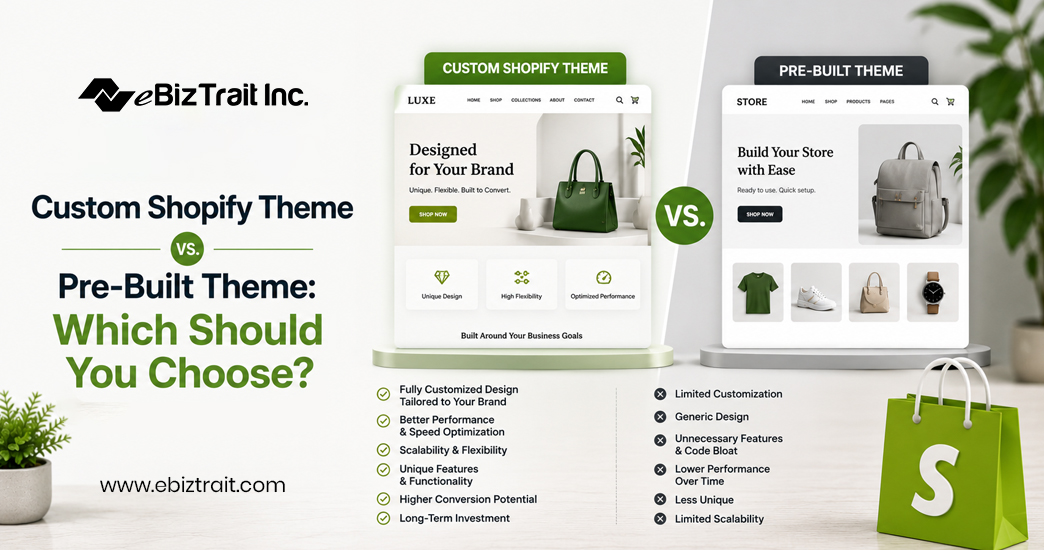
Your first major decision when building out your online store is going to be whether or not to go with a Custom Shopify Theme or with a Pre-Built Shopify Theme. These two choices will greatly impact the speed, flexibility, and overall look and feel of your store. Also, it will impact how much it’s going to cost you up front as well as down the road. This is a decision that there is no right answer to, but rather there is the right answer for you and your business, based on your budget, your business’ current growth, and your design goals.
This article will go over the pros and cons of each option. And whether you decide to go at it solo or to hire a Shopify Theme Development Company, you will be making an informed decision.
What Is a Pre-Built Shopify Theme?
A Pre-Built Shopify Theme is a Shopify template that has already been designed and can be downloaded from the Shopify Theme Store, either for free or for a fee. Most of these templates have already been tested and can be edited using Shopify’s built-in theme editor. We offer a variety of the best pre-built Shopify Themes such as Dawn, Impulse and Prestige.
Pre-built themes are easy to launch fast, are relatively inexpensive and do not require any design or development expertise to set up and configure.
What Is a Custom Shopify Theme?
A Custom Shopify Theme is a web design solution developed from scratch or heavily customized from a base Shopify theme to create a Custom Shopify Theme for your online store that reflects your brand identity, functionality needs and user experience goals while providing a Custom Shopify Theme Development experience typically provided by a Shopify Theme Developer or a design/development agency that uses Shopify’s Liquid templating language in addition to HTML, CSS and/or JavaScript.
A Custom Shopify Theme is very different to Pre Built Themes. Every section, every animation and every layout choice in a Custom Shopify Theme has been designed with your products in mind and your customer’s journey through your website.
Key Differences at a Glance
Cost
One-time costs for pre-built themes start at free (e.g. offline themes) and go up to around $350 for premium ones. Custom Shopify themes, on the other hand, involve ongoing Shopify Theme Development costs, which can vary from a few thousand dollars for a lightly customized pre-built theme, to tens of thousands of dollars for a fully customized and feature rich custom theme for a high end Shopify Store.
Speed to Launch
Launch a pre-built theme in a matter of days. Launch a custom design in several weeks to a few months depending on complexity and number of stakeholders involved.
Uniqueness
Many pre-built themes have been used by thousands of other online stores. This can result in your Shopify store looking similar to the store of your competition. A custom Shopify Store Design does not have to look like the store of other online stores, it can be completely unique.
Flexibility
These pre-built themes contain a set of fixed sections (like product description and slideshow) which can be put into a certain number of different layouts. But if the needs of your shop exceed what the original author of the theme has created, then you are stuck. Often merchants are forced into using apps that try to work around the problem.
Performance
Themes contain a lot of unused code, which can slow down your shop. With a well executed Shopify Theme Development, all unnecessary code is stripped and theTheme is optimized for the content of your shop. As a result, loading times can even be improved in a substantial way.
When a Pre-Built Theme Makes Sense
Pre-built themes are a smart choice when:
Your store is just starting out and for now you want to test your business model.
- Your budget is limited in the early stages
- Your product catalog and desired functionality are relatively standard.
- You are comfortable with Shopify Theme Customization, using the in-store editor instead of coding up a custom solution.
A large number of highly successful Shopify stores were initially launched on premium pre-built themes. They later customized these heavily using Shopify Theme Customization before finally migrating to custom builds once demand had been proven and a bigger budget was available.
When a Custom Shopify Theme Makes Sense
A custom build becomes worth considering when:
Your brand identity is central to your competitive advantage and a templated look undercuts it
- Your shop has certain features that it can’t get from off-the-shelf themes. Advanced filtering for products. Unique product configurators. Non-standard checkout processes.
- Site speed and Core Web Vitals are a priority for SEO and conversion
- Your shop is growing and you need a shop architecture to support new features of your shop instead of just adding more apps on top of an existing template.
Working with Shopify Theme Experts or a Shopify Theme Development Company (specializing in Shopify themes) is money well spent. They are very familiar with Shopify’s Liquid architecture and will develop a fully customized, yet sound and maintainable theme for you. In contrast to a custom build being a collection of custom code (‘apps’) bolted onto a pre-designed template.
The Middle Ground: Customizing a Pre-Built Theme
When considering custom themes versus pre-built ones, keep in mind that “custom” and “pre-built” don’t have to be mutually exclusive. While many brands opt for premium pre-built themes, others invest in heavy Shopify Theme Customization to create custom layouts, add custom sections, change out typography and color, and integrate apps. A particularly cost- and time-effective way to achieve a nearly custom-built theme is to take a premium pre-built theme as a basis and then do a lot of Theme Customization. Experienced Shopify Theme Developers can create such highly customized versions of premium pre-built themes in a matter of days or weeks, as opposed to months of Theme Customization.
Making the Decision: Custom Shopify Theme or Pre-Built Theme
Ask yourself three questions:
1. Is your brand identity a core differentiator? If yes, lean custom.
2. Are there specific features or functionalities that standard themes cannot support? Lean Custom.
You’re still validating out business model or are on a very tight budget – start with a pre-built theme and come back to this later.
Starting simple and growing your Shopify Website Design as your business grows is perfectly fine. Many successful Shopify stores have started with a $200 premium theme and later transitioned to custom designs as their business took off. Your Website Design decisions should correlate with where your business is currently at, not where you wish it to be in 2 years. Connect with an experienced Shopify development company and get with the best design for your online store
Final Thoughts
In the end, a successful online store can come from either route: the quick and affordable way of using pre-built online store themes, or the more elaborate way of custom themes and web designs by Shopify Theme Experts for online store owners. To determine the best route for your business, a consultation with Shopify Theme Experts about your future Shopify Theme Design decisions early on can prevent an expensive rebuild down the line.
FAQs
1. How to integrate third-party apps into Shopify themes?
Most Shopify apps integrate automatically once installed, injecting their code via app blocks or embed sections without needing manual edits. For deeper integrations — like custom widgets or checkout modifications — a developer typically needs to add specific Liquid snippets or JavaScript directly into the theme files.
2. What factors should be considered when choosing a Shopify theme for a beginner’s store?
Look at ease of setup, mobile responsiveness, load speed, available sections/blocks, app compatibility, and how well the layout suits your product type (e.g., grid-heavy for large catalogs, storytelling-focused for fewer hero products).
3. How much does it typically cost to customize a premium theme on Shopify?
Light customization (colors, fonts, section rearranging) can often be done for free through the theme editor. More involved changes — custom sections, layout adjustments, or app integrations — done by a developer typically range from a few hundred to a few thousand dollars depending on scope.
4. Should you buy a theme from Shopify, or is it better to use a free one?
It depends on your needs: free themes are a solid starting point for very early-stage stores, while premium themes offer more built-in sections, design polish, and flexibility — often worth the one-time cost once you’re ready to invest in your storefront’s appearance.
5. Why Are Custom Shopify Themes Worth the Investment?
A custom theme gives you full control over branding, user experience, and functionality, helping your store stand out from competitors using the same templates while allowing performance and features to be tailored precisely to your business.
6. Shopify Themes vs Custom Builds: What’s Best?
Pre-built themes are better for speed, affordability, and simplicity, especially for new or budget-conscious stores. Custom builds are better for established brands needing unique design, advanced functionality, or performance optimization beyond what templates offer.
7. Do premium Shopify themes actually perform better than free ones?
Generally yes — premium themes tend to have cleaner code, more design options, better support, and more frequent updates, though performance ultimately depends on how well the theme is built and configured, not just its price tag.
8. Free vs paid Shopify themes: what actually works?
Free themes work well for lean, minimal-feature stores just getting started, while paid themes typically offer more built-in flexibility and design sophistication — the right choice depends on your budget and how much customization you need out of the box.
9. How to change my Shopify theme without losing customization and content? Duplicate your current theme as a backup, then either recreate content in the new theme manually or use a theme migration app; content stored in Shopify’s core system (products, pages, blog posts) carries over automatically, but theme-specific sections and settings generally need to be rebuilt.
10. Why is it important to have a custom Shopify theme?
A custom theme ensures your store isn’t visually identical to competitors using the same off-the-shelf template, allows for functionality tailored to your exact business needs, and can be optimized specifically for your content and performance goals rather than a generic use case.
