
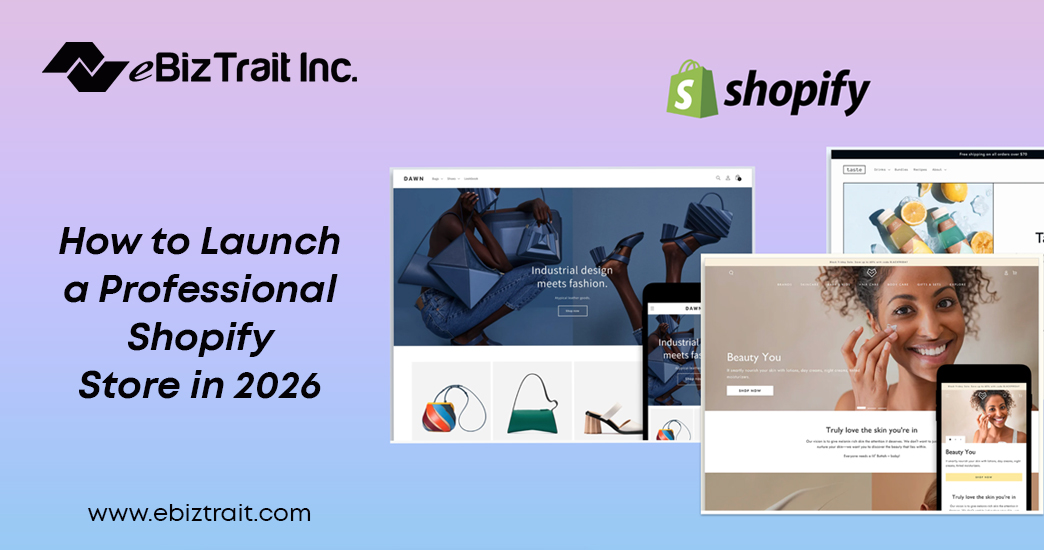
Launching an online business is now easier than ever, however, there is still planning, strategy, and implementation that have to be done to create a successful eCommerce brand. For entrepreneurs who want to know how to start a Shopify store, 2026 offers advanced tools, AI-based features and more customization options as compared to the past years. But unless it is done with the right strategy, many stores would fail in spite of having attractive designs.
A perfect Shopify store focuses on brand name, user experience, product presentation, and optimization of performance. Whether by choice of niche or defining better conversions, all the measures matter in establishing a profitable online business.
Choose the Right Business Niche
To know how to start a Shopify store, one will first have to come up with a profitable niche. A niche which has a high level of demand and is controllable with competiton will therefore increase the chance of success. Items that are trending and products that are environmentally friendly as well as customized products will continue to dominate in the eCommerce market in 2026.
Researching competitors, customer problems, and target audiences is conducted before starting the Shopify store setup. Profitable opportunities can be determined with the use of tools like Google Trends and keyword research platforms.
Purchase a Domain and Set Up Shopify
The professional domain name generates trust and brand authority. After making your final choice of brand name, purchase an original domain and connect it to Shopify.
The second step in the Shopify store setup guide involves selecting a price plan to suit the size of the business. The apps available at Shopify are friendly when it comes to simplification of inventory management, integration of payment and tracking of orders.
During the Shopify store development process, make sure to:
- Configure payment gateways
- Set shipping rules
- Add tax settings
- Enable mobile responsiveness
- Secure the website with SSL
These are the components of an effective online store.
Select a High-Converting Shopify Theme
The store design directly affects customer trust and their sales. The user-friendly interface without any clutter provides a convenient online shopping experience.
The theme to be used is to be selected when planning a launch Shopify store strategy, it should be a fast and well-SEO-performing theme. Themes of high quality are typically more customizable and provide advanced functionality.
Important design elements include:
- Easy product navigation
- Clear CTA buttons
- High-quality product images
- Mobile optimization
- Fast checkout process
Professional Shopify store optimization enhances search engine rankings as well as customer interactions.
Add Products with Optimized Descriptions
The backbone of any eCommerce business is the product pages. When learning how to start a Shopify store, a lot of beginners underestimate the importance of detailed product descriptions.
Each product page should include:
- Keyword-rich product titles
- High-resolution images
- Benefits-focused descriptions
- Customer reviews
- Clear pricing and shipping details
Proper Shopify conversion optimization is the appropriate way to make sure that visitors become more likely to be converted to paying customers.
Search visibility can also be enhanced with long-tail keywords like, “best Shopify store setup for beginners” or “professional Shopify store development services”.
Optimize Your Store for SEO
In 2026, it will be important that search engine optimization leads to organic development of traffic. Shopify already has mechanisms of inbuilt SEO, which still require more to achieve higher rankings.
To conduct the Shopify store optimization, it is suggested to pay attention to:
- Optimized meta titles and descriptions
- Image alt text
- Fast-loading pages
- Mobile usability
- Internal linking
- Blog content creation
Informational traffic can be met by publishing blogs on topics related to how to start a Shopify store and building brand authority.
Use Marketing Tools Before Launch
Ready a marketing plan prior to officially launch Shopify store. Existing high-traffic tools include influencer marketing, paid promotion, email marketing, and social media platforms.
An effective Shopify store checklist ought to have:
- Social media setup
- Email automation
- Abandoned cart recovery
- Analytics integration
- Facebook Pixel installation
- Google Search Console setup
These tools assist in monitoring customer behavior in order to enhance post-launch performance.
Improve Conversion Rates
Driving traffic is only part of the process. The objective that is actually aimed at is to maximize sales by ensuring a better user experience and building trust.
Effective Shopify conversion optimization strategies include:
- One-page checkout
- Trust badges
- Customer testimonials
- Limited-time offers
- Personalized product recommendations
- AI-powered chat support
The professional Shopify store development is focused on minimising friction in the customer journey.
Conclusion
In order to establish a profitable business with Shopify by 2026, one should not just post the products online. Business startups aiming to be educated on how to start a Shopify store ought to concentrate on branding, search engine optimization, user experience, and marketing strategies. An effective Shopify store setup, as well as its effective optimization, is likely to offer a significant increase in traffic, conversion, and growth rates after a period of time. Started with a small side business or a fully-fledged brand, a systematic Shopify store checklist is used to construct a high-quality and lucrative online store.
FAQs
1. How do I create a new online store using an easy-to-use e-commerce platform?
Selecting Shopify, creating an account, selecting a theme, adding products, and setting up payment options, as well as customizing the brand and launching the store through an easy-to-use dashboard of Shopify.
2. How to start an online store from scratch?
Identify the niche, buy a domain, build the shopify site, post products, develop it, add the payment methods and sell on a digital marketing site.
3. What are the initial steps for setting up a Shopify platform?
Create a Shopify account, select a plan, identify a domain, pick a theme, select payment gateways and start adding products and store information.
4. How much does it cost to set up Shopify?
Shopify has a subscription that begins with an affordable monthly subscription. Other expenses could be premium themes, applications, custom development, branding, advertising, and domain registration expenses.
5. How do I create my own Shopify store?
Create an account with Shopify, then select a theme, build the design of the online store, add products, set up shipping and payment options, and publish the online store successfully.
6. Is Shopify better than Amazon?
Shopify offers full brand control and ownership of customers, whereas Amazon offers exposure to the marketplace. Shopify is more helpful in developing an independent long-term brand identity online.
7. Can I create my own products on Shopify?
Yes, with Shopify businesses can sell handmade, digital, custom and manufactured products directly through their own branded online store without restrictions.
8. What are common Shopify selling mistakes?
These are some of the errors like poor description of the product, delay in page loading, poor branding, neglect of SEO, complicated checkout and not taking care of the mobile shopping experience.
9. How many Shopify stores can I own?
There is no strict limit. Users can create and manage multiple Shopify stores using separate accounts, subscriptions, or Shopify organization management tools.
10. Who can build my Shopify store?
Customized Shopify stores with advanced features that outperform competition, branding and conversion-oriented optimization strategy can be built by freelance developers, Shopify agencies, or professional eCommerce experts.
11. How to start Shopify as a beginner?
Beginners should choose a niche, perform the installation of the Shopify store, use a basic theme, add products, optimize pages and start promoting the business online.
12. How to create multiple stores on Shopify?
Utilize different customer bases, branding, products, and functional requirements of multiple stores by creating distinct Shopify accounts or utilizing Shopify organizations.
