
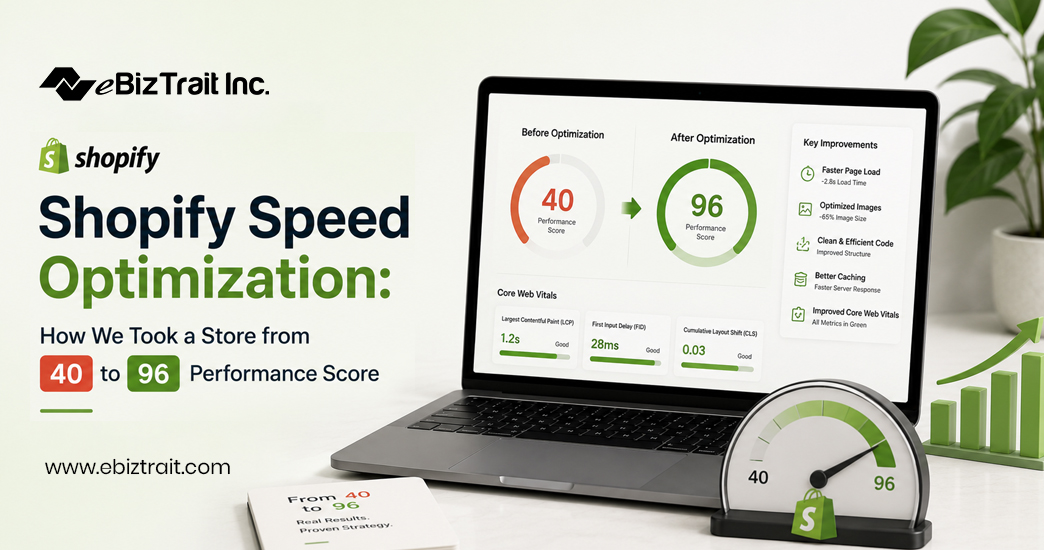
If you have run your online store through Google PageSpeed Insights to receive a score in the 30s or 40s, you are by no means alone. In fact, for most Shopify stores, the realization that their online store is running slowly comes at the same time as falling sales and increasing bounce rates. For one of our recent clients, a growing fashion store, their online store had a mobile performance score of 40, individual product pages loaded in nearly 6 seconds and their checkout process (funnel to ‘Buy Now’ button) was leaking customers along the way. Here it needs with Shopify Speed Optimization.
Over the course of four weeks, we ran a full Shopify speed optimization project on the fashion retailer’s store. In the end, we managed to increase the mobile performance score from 40 to 96. I will explain in detail what we did, why it was important and provide you with the ways in which you can apply these lessons to your own Shopify store.
Why Shopify Speed Optimization Matters More Than You Think
Speed is not a vanity metric. As Core Web Vitals become another search ranking signal, every extra second of load time can cost you in conversions. For ecommerce in particular, a slow store means abandoned carts, wasted ad spend and a very poor user experience for the majority of mobile users browsing your store.
This is why Shopify performance optimization has become a fundamental part of running serious online stores. A fast store just converts, ranks and keeps customers better than slow stores.
Why Is My Shopify Store Slow?Why Shopify Speed Optimization?
Why is my Shopify store slow? As a general rule, we try to diagnose a problem with a Shopify store before trying to fix it. And almost always, slow stores have a combination of these problems. They have too many apps installed, each of which runs scripts on every page. Large, unoptimized images are used on product pages and in other parts of the site. The site’s theme is a bloated mess of unused CSS and Legacy Liquid snippets. JavaScript on the site causes it to render slowly. Third-party tracking pixels are loaded synchronously. The site is missing lazy loading. It uses web fonts that block text rendering.
Our audit of our client’s Shopify store found that they had 14 apps running on their site (many of which were running scripts on every page of the site) in addition to huge product images (on average 2.4MB per image) and an old, uncleaned theme that was over 3 years old.
Our Shopify Speed Optimization Process, Step by Step
1. Full Technical Audit
We ran all the shops through Google PageSpeed Insights, GTmetrix and the Theme Inspector. This gave us a good starting point for our audit and a prioritized list of issues to fix. This list was ranked by the potential impact of each issue and is the foundation for any decent speed optimization strategy for your Shopify store. Without measuring your site first, there is no way you can optimize your Shopify store for speed.
2. App Cleanup
We removed 7 apps from the site and wrote custom code for 2 of the heaviest apps on the site. The remaining apps were set to load conditionally (only on the pages where they are required). This step improved the score by over double digits.
3. Image Optimization
We then went on to optimize all of the images across the website (all product images as well as all of the banners) by firstly compressing each and every one of them before going on to convert them all into WebP format. Each image was then made to be responsive in order to prevent mobile devices from downloading images of a desktop nature. We also implemented the native lazy loading of images for those below the fold on each page.
4. Theme Code Cleanup
Unused CSS and JavaScript files were removed from the Theme files and legacy code written by previous developers using the Liquid language was stripped from the files and the multiple stylesheets were merged into fewer files that had been minified in order to reduce the number of render-blocking requests in order to have an large impact on the Largest Contentful Paint (LCP) score.
5. Font and Script Loading
For the fonts and scripts, we enabled preloading of the fonts and set font-display: swap for the fonts that were being blockloaded. Then for the scripts, we changed them from being loaded synchronously to being loaded asynchronously after the main content on the page had been rendered.
6. Checkout and Product Page Optimization
For the key pages for revenue (i.e. Product and Checkout) we went through the typical tools for website performance (e.g. minimizing third-party scripts, deferring non-essential tracking, simplifying selection variant of products etc).
7. Ongoing Monitoring
The biggest oversight in website optimization is to view it as a one-time activity. Speed is something that needs to be continually monitored in order to prevent regressions caused by new Apps and content.
By the end of the changes outlined in this Shopify store speed optimization article, the mobile performance score went from 40 to 96. On average the pages now load in 1.4 seconds compared to 5.8 seconds prior to changes and resulting from initial site audit of the Shopify store. In the first 6 weeks of changes, the mobile conversion rate for the Shopify store improved by 22%.
Shopify Speed Optimization: How to Improve Shopify Store Speed Yourself
If you’re not quite ready to bring in outside help, that’s okay! Get connected with Shopify development company & Start with the steps below and go from there. Typically, even just going through and fixing the 3 biggest issues that PageSpeed Insights finds will make a huge enough difference that you should see a lot of improvement, and then you can go on to uninstall any apps that you aren’t using, and then go through and compress and resize all images before uploading them, and then change your theme to a lighter one if your current theme is heavily customized, and then enable lazy loading for things below the fold. And, all of that can be done without touching any custom code.
How to Make Shopify Store Load Faster When DIY Isn’t Enough
The remaining issues could be hidden in theme code, Liquid logic or even App conflicts. However, in order to optimize a Shopify store to load fast enough, at this level you would require the development experience to safely untangle the issues within your theme.liquid files. You could therefore get good value from a Shopify speed optimization service as they would deliver the required speed improvements for your online store, without the risks associated with your DIY store modifications.
Why Work With a Shopify Speed Optimization Agency
In-house optimization is possible but it takes time and technical knowledge that in-house teams generally do not have. A dedicated Shopify speed optimization agency has developed a repeatable process for optimizing Shopify sites for speed. They have the necessary tools to provide before and after benchmarks for their clients and have experience with hundreds of themes and apps.
We are a team of professionals that hold themselves accountable for your site’s performance, unlike a simple checklist for optimizing your Shopify site for PageSpeed. We track real metrics to determine the success of our actions, such as the site’s bounce rate, conversion rate and the site’s revenue per visitor.
Final Thoughts
Turn a 40-point Shopify store into a 96-point machine. In short, the process for Shopify speed optimization is a structured process of removal and optimization. Of course, you can try to tackle this process alone, but ideally you will bring in a shopify development partner for this. The return on investment (ROI) of optimizing your Shopify store for speed is extremely high, and can be one of the smartest things you do for your store this year.
FAQs
1. What is a good Shopify performance score?
Generally, a mobile PageSpeed score of 80 or above is considered good, while 90+ is excellent. Most unoptimized Shopify stores sit somewhere between 30 and 55.
2. How long does Shopify speed optimization take?
A thorough optimization project typically takes two to six weeks, depending on the size of the store, the number of apps installed, and how customized the theme is.
3. Why is my Shopify store slow even on a paid theme?
Paid themes can still be slow if they’re overloaded with apps, unoptimized images, or years of accumulated custom code. Theme quality is only one factor among several.
4. Do more apps always make my store slower?
Not necessarily, but each app adds scripts that load on your storefront. Apps that inject code site-wide, even on pages where they’re not used, are the biggest offenders.
5. Can I improve my Shopify store speed without a developer?
Yes, to a point. Image compression, app cleanup, and enabling lazy loading can be done without code. Deeper theme and Liquid-level fixes usually need development experience.
6. What’s the difference between mobile and desktop speed scores?
Mobile scores are typically lower because mobile devices have less processing power and often slower network connections. Google weighs mobile performance heavily for search rankings.
7. Does Shopify speed optimization affect SEO rankings?
Yes. Core Web Vitals are a confirmed Google ranking factor, so faster stores generally have an easier time ranking well, especially on mobile search.
8. How much can speed optimization improve conversion rates?
Results vary, but many stores see conversion rate improvements in the range of 10-25% after a comprehensive speed optimization project.
9. Will switching Shopify themes automatically fix speed issues?
A lighter theme can help, but it won’t fix problems caused by heavy apps, unoptimized images, or poor content structure. Speed issues usually need to be addressed holistically.
10. How often should I re-check my Shopify store’s speed?
We recommend checking performance monthly, and always after adding a new app, theme update, or major content change, since these are the most common causes of speed regression.
