
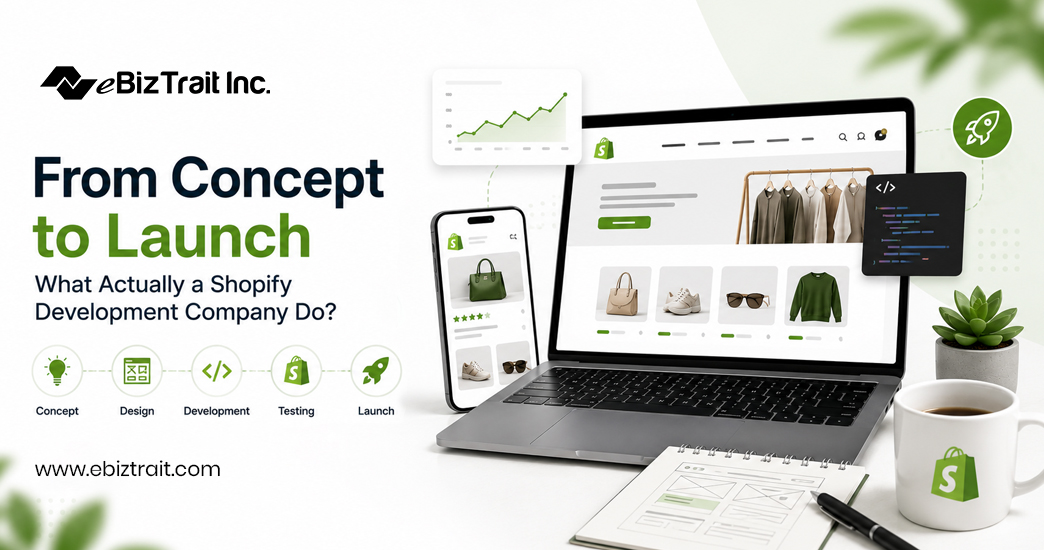
Launch a Shopify store? Easy peasy. Select a theme, add products, and publish the store. Of course, the store needs to convert. A rapidly loading, trustworthy store that will scale with the business is required. The basic launch of a store is simple enough, but development of a store that actually performs is a lot more work than expected. A Shopify development company can fill this gap.
This article outlines the entire process from the end of the strategy session to the launch of your Shopify store. Each stage of the process of building your online store to set up your shop to launch your shop is detailed in full and you will learn why each of the stages of the launch of your Shopify shop is way more important than you thought.
Stage 1: Discovery and Strategy
The first stage of building a new store in serious construction, is the initial discovery of what needs to be done. A good Shopify development partner goes through Business 101 with the client, as well as through the initial strategic sessions, determining the Client’s Audiences, Brand(s), and initial Business Strategy. The Partner determines the Client’s Competitors, the things that Competitors are doing well and poorly, and begins determining the Client’s Technical Requirements (even though these change along the way), including any Inventory complexities, initial Order Volume and growth goals, Initial Integrate Requirements to existing systems such as an ERP system, Fulfillment System, Shipping Carriers, etc., as well as initial Platform requirements (i.e. whether Shopify, or even Shopify Plus is the correct platform for the initial store construction).
Determining how to measure success for a store is crucial. A store that is intended to sell 50 or so SKUs to a local audience will need to have a completely different foundation than a store intended for a national wholesale audience. In many cases, avoiding the biggest mistakes of online stores (i.e., biggest causes of online stores failing to meet their owners’ goals) is the best way to avoid failures in online stores.
Stage 2: Information Architecture and UX Planning
The store needs to be navigated. How will customers find products in the collections? How will customers search for products? How will customers progress from the landing page to checkout? The categorization of products in the store needs to be determined. How will products be categorized?
Stage 3: Design
As for the actual design of the future online store, all elements of the future online store will be designed and created in accordance with the scope of work outlined above for the development of the new Shopify Theme. And, in line with the growth objectives outlined above for the future online store, said future online store shall be designed and created with: homepage; product detail pages; other pages as determined by Client; cross-browser compatibility; mobile responsiveness; conversion-focused design (e.g. placement of trust signals; calls-to-action; etc.); as well as other elements and features outlined above for future online store.
Stage 4: Theme Development and Customization
By Stage 4, Theme Development and Customization, your designs are being translated into your online store. At this stage, the Shopify development team could be customizing an existing Shopify theme or building a fully custom Shopify theme from scratch. Online stores can be built using Shopify’s Online Store 2.0 framework that features modular sections and blocks. There’s also scope for Custom Liquid development to be completed, all Responsive Coding to ensure that your website works across all devices, and that your online store has the right Performance Optimization in place. It’s here, that Technical Debt is either prevented or created, and using clean, well-structured code will save time and cost in the long run when you need to update your online store or add new features to it.
Stage 5: App Integration and Backend Setup
Setting up Apps for Reviews, Subscriptions, Loyalty, Email Marketing and more. Configuring Shopify Payment Gateways, Tax Codes, Shipping Rates, Rules and more. Inventory Management Apps for managing Shopify Stock levels, syncing with External Inventory Systems (e.g. ERP) and more. We can advise on which Apps are worth the increased load time on your store and where you can create your own custom code to achieve the same result.
Stage 6: Migration (If Applicable)
Moving from another ecommerce platform such as WooCommerce, Magento, BigCommerce, or even a custom built online store (for example with Drupal, ExpressionEngine, etc) typically requires the most work in terms of a “migration”. As part of your Shopify development project, your partner can assist in moving your products, customer information, orders, and other relevant data from your old site to your new Shopify store. In addition, all relevant SEO information, such as URL redirects and mapping can be set up to ensure that your search rankings aren’t affected, and that visitors to your old site are redirected to the corresponding page on your new Shopify store.
Stage 7: Quality Assurance and Testing
Checkout is tested on different devices and with different payment methods. Page load time is tested under pressure. Forms are filled out and email notifications are tested. Discount codes are entered in and different aspects of the store are tested on mobile devices. Cross-browser testing is also conducted. Issues with accessibility, broken links, and other edge-case bugs are found before a customer can encounter them.
Stage 8: Launch
While switching on the launch day for your newly designed online shop is literally a matter of a single click, more needs to be done. The basic steps for the launch include, for example, creating a final backup of the data, adjusting the DNS settings and configuring the domain, setting up the desired redirects for previously used URLs, checking and verifying the correct functioning of the analytics tracking pixels, and, last but not least, monitoring the newly launched online shop for hours on end.
Stage 9: Post-Launch Support and Growth
The relationship with your Shopify store doesn’t end at the launch. We will monitor your site speed, fix bugs that surface with real customer usage, update the Apps and Themes as Shopify updates the Online Store 2.0 platform. We will work with our clients to add features to their store as needed, such as adding new landing pages, running seasonal promotions, and scaling the back-end of the store to handle increased traffic for large sales events.
Why This Process Matters
In simple terms, a capable Shopify development company follows a number of stages, designed to prevent common failures and rework. As outlined previously, each stage of development prevents the following failures: skipping discovery results in having to rebuild store structure later; skipping proper QA results in losing sales due to broken checkout flows; skipping careful app selection results in slow pages that quietly bleed conversions. A capable Shopify development company sequences tasks to avoid expensive rework, and to get the store to market quickly.
This does not mean that the stages of development run in a straight line. Design may go back to the information architecture stage to rework some of the design decisions. In Shopify development the QA stage may uncover some performance issues with the theme that need to be fixed by going back to modify the theme code.
A full Shopify development agency has a proven process, has a team of specialists, designers, developers, QA testers and migration experts, all accountable for delivering the end result – not just a series of individual tasks.
Final Thoughts
Building a Shopify store that works for you is a process and therefore a series of tasks, from the first discovery call through design, development, app integration, testing and launch. Each of these stages will help to protect against a specific failure later in the process. Whether you’re launching a new Shopify store for the first time or reworking an existing one, understanding this process and having realistic expectations is key. More so, it makes it much easier to assess whether your potential development partner is doing things right.
When planning and building a new Shopify store or even migrating to a new platform, it is crucial to work with a very skilled and experienced team who approach every single one of these very distinct development stages with the utmost seriousness and attention to detail.
FAQs
1. What does a Shopify development company actually do?
A Shopify development company handles the full lifecycle of building or improving a Shopify store — strategy, design, theme development, app integration, migration, testing, and post-launch support — rather than just one isolated task.
2. How long does it take to build a Shopify store from scratch?
Timelines vary based on complexity, but a custom build typically takes anywhere from 4 to 12 weeks, factoring in discovery, design, development, app integration, and testing.
3. What’s the difference between a Shopify development agency and a freelance developer?
An agency brings a full team with specialized roles (design, development, QA, project management) and a repeatable process, while a freelancer typically handles everything alone, which can limit capacity and specialization on larger projects.
4. Do I need a custom theme, or can I use a pre-built Shopify theme?
It depends on your goals. Pre-built themes work well for simpler stores on tighter budgets, while custom themes are better suited for brands with specific design, functionality, or performance requirements.
5. Can a Shopify development partner help migrate my store from another platform? Yes. Migration is a common service, covering product data, customer records, order history, and SEO structure to ensure nothing is lost when moving from platforms like WooCommerce, Magento, or BigCommerce.
6. How many apps should my Shopify store actually use?
There’s no fixed number — the goal is using only the apps that add real value, since each additional app can affect page speed. Shopify development experts typically audit the app stack to balance functionality with performance.
7. What happens after my Shopify store launches?
Post-launch work usually includes monitoring performance, fixing issues that appear under real traffic, applying platform updates, and making ongoing improvements based on actual customer behavior and conversion data.
8. Is Shopify Plus necessary for a new store?
Not usually. Shopify Plus is generally recommended for larger businesses with high order volume, complex automation needs, or multi-store requirements — most new stores start on a standard Shopify plan.
9. How much does working with a Shopify development company cost?
Costs vary widely based on scope — a simple theme customization costs far less than a fully custom build or a complex platform migration. Most agencies provide a scoped quote after an initial discovery call.
10. How do I choose the right Shopify development partner for my business?
Look for a team that starts with discovery and strategy rather than jumping straight to design, has experience with stores similar in size and complexity to yours, and offers clear post-launch support rather than disappearing after go-live.
